
You’re staring at a Google Ads dashboard, your CPA crept up 18% last month, and someone on your team just asked, “Should we switch to Smart Bidding?” You don’t have a clean answer. Neither does most of the internet.
The Smart Bidding vs Manual Bidding question sounds simple until you actually run both side by side. One camp swears automation is the only sane option in 2026. Another camp, usually the people managing tight-budget or niche B2B accounts, still hand-adjusts bids every morning and gets better results doing it. Both are right, depending on the account.
This article breaks down what each PPC strategy actually does, when it wins, when it doesn’t, and how to decide without guessing.
What Is Smart Bidding?
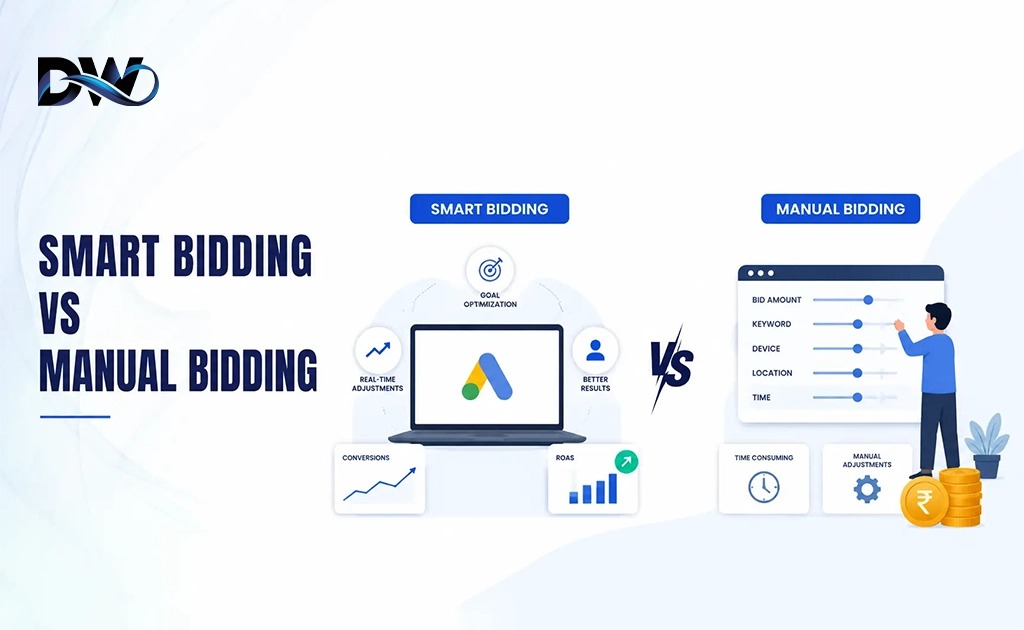
Smart Bidding is Google’s collective name for automated bidding strategies which rely on machine learning to determine bids at the moment of the auction, taking into account, among others, the device, location, time of day, audience and search intent.
The algorithm then bids on each and every auction, potentially thousands of times per day, based on data the account has gathered, rather than a fixed CPC set by a human.
The main Smart Bidding strategies in Google Ads today:
- Maximize conversion: uses all of the budget to achieve as many conversions as possible without setting a goal,
- Target CPA (Cost Per Acquisition): attempts to achieve a set cost per conversion.
- ROAS (Return on Ad Spend): sets a desired return on advertising spend percentage
- Maximize Conversion Value (Similar to Maximize Conversions, but optimize for value)
- Enhanced CPC (eCPC): A hybrid: Set manual bids, but Google pushes them up or down according to conversion likelihood.
What Is Manual Bidding?
Manual Bidding, most commonly Manual CPC, means the advertiser sets the maximum cost-per-click for keywords, ad groups, or campaigns directly, with no algorithmic adjustment.
You decide the ceiling. You raise it when a keyword performs well. You lower it when it doesn’t. Nothing happens automatically.
Manual Bidding gives you:
- Full control over exactly what you pay per click
- The ability to react instantly to seasonal shifts or budget caps
- Protection from algorithmic guesswork when conversion data is thin
- A clearer audit trail for finance teams who want to know exactly where every rupee or dollar went
- It’s slower. It’s more hands-on. But for certain accounts, that’s exactly the point.
Why Smart Bidding Matters in 2026
There were three things which altered the calculation a couple of years ago.
- But, in the era of the deprecation of third-party cookies, more signal was being driven towards Google’s own first-party data. Manual bidding was not meant to be probabilistic conversion modeling, but Smart Bidding was.
- Second, Performance Max and broad match are now taking a larger portion of ad spend, and both don’t perform well with Manual CPC. It does not even provide a manual option in PMax. Smart Bidding is a must if your account is PMax.
- Third, there was a second rise in auction speed. Now, dozens of signals are taken into account when making real-time bidding decisions per query. A human bidding twice a day just can’t hold up to a bidding system that is recalculating every auction.
But, not all of that makes Manual Bidding outdated. It puts the roof up for what Smart Bidding can achieve.
Best Use Cases for Each Strategy
When Smart Bidding Works Best
- Accounts with 30+ conversions per campaign per month
- eCommerce stores with reliable revenue tracking (Target ROAS shines here)
- Lead gen accounts with clean offline conversion imports
- Advertisers running Performance Max or broad match at scale
- Teams without daily bandwidth to manage bids manually
When Manual Bidding Still Works
- Brand-new accounts with zero conversion history
- Low-budget campaigns (under ₹500–1000/day or roughly $10–15/day) where Smart Bidding can’t gather enough data to learn properly
- Highly seasonal or event-driven campaigns needing instant bid control
- Accounts with unreliable or recently-changed conversion tracking
- Niche B2B campaigns with very low search volume, where “30 conversions a month” simply isn’t realistic
Real-World Example 1: Lead Generation (B2B Services)
A medium-sized IT consulting company in Delhi NCR used Manual CPC for 8 months, while the average cost per lead (ACPCL) was a constant ₹450. The volume of conversions was around 22-25 a month, which is just below the standard Smart Bidding value.
They tested Target CPA, which they had reasonably pegged at their current average, and allowed them a three week learning window rather than a cold switch. By week one, cost per lead went up to ₹610 (as expected during the learning phase) and by week 4, the cost per lead came down to ₹390. There’s no change in the quality of the leads they were generating, as their offline conversion imports (CRM qualified leads, not just form fills) were already being returned to Google Ads.
The lesson: No one is interested in how many times you converted, rather they want to know how many good conversions you produced. Slightly-below-threshold volume was offset by clean offline data.
Real-World Example 2: eCommerce (Home Appliances)
Manual CPC was used for 40+ product-level ad groups for an appliance brand that sells mixer grinders, air fryers and induction cooktops. The time to manage bids of that size amounted to about six hours per week.
When reduced to a conservative 350% target (which is lower than their historical ROAS – intentionally – to avoid the ad spend being choked), they achieved a 22% uplift in conversion value in 6 weeks with only a 0.1% increase in ad spend.
The downside: two low volume SKUs actually had fewer than 10 conversions per month and performed worse in the Smart Bidding settings. All the other ad groups continued to run on Target ROAS, and those two had their campaign type switched to Manual CPC.
Most of the articles you’ll find that tell you how to make your account a “Smart Bidding win” forget to mention that you don’t have to use them all at once. It’s better to use a combination of the two, as this can be determined by conversion volume per ad group.
How Google Ads Data Volume Affects Performance
Smart Bidding is only as effective as the data that it uses. Google’s own guidance recommends that Target CPA or Target ROAS will stabilize if there are at least 15 to 30 conversions within the past 30 days of the campaign.
If it’s below that, then you can expect:
- Wider CPA/ROAS swings during the learning phase
- The rate of stabilization is slower, sometimes 3 to 4 weeks as opposed to 1 to 2 weeks.
- Temptation of giving up too early and reverting back to the old routine, risking wasted spending.
If you are unable to achieve that volume in an account during a campaign, you may want to consider combining similar ad groups, setting campaign-level conversion goals, or even waiting for a higher volume to build on your account organically.
Conversion Tracking Requirements
No matter how clever the strategies, Smart Bidding will fall short of poor data. With broken or duplicated conversion tracking and/or incorrectly tracking conversions for actions such as counting every “Contact Us” page view as a lead, Smart Bidding will optimize towards the incorrect result at a higher level of confidence than Manual Bidding.
Before switching:
- Check that duplicate or mis-fired tags have been carried out during audit conversion actions in Google Ads.
- If offline conversion imports (CRM data) are used, they are mapped correctly
- Use different conversion goals or values for separate micro-conversions (newsletter sign-ups) and macro-conversions (purchases, qualified leads).
- Before playing with bid strategy, complete a 2-week tracking audit.
This step is the most common error that advertisers make when making the switch to Smart Bidding.
Budget and Control Considerations
Manual Bidding has a tough upper limit. You know what the maximum you’re willing to pay per click is prior to the auction. Smart Bidding sets a target, not a ceiling, and this means that if the algorithm thinks that the click is very likely to convert to a sale, then individual clicks may cost more than the average.
This is important for the advertiser when he has a limited budget per day. Sometimes the Target CPA and Target ROAS can spend more heavily on an individual auction that may be performing well but can be a bit unpredictable for the finance team who expects a steady, even spend.
Practical fix: Set Target CPA slightly above your break-even CPA (not your ideal CPA) when starting out, then tighten gradually once the algorithm stabilizes.
Campaign Maturity and Learning Phases
Every Smart Bidding strategy goes through a learning phase, typically 7–14 days, sometimes longer, where performance is deliberately unstable while the algorithm tests bid ranges.
Common mistake: switching bid strategies again mid-learning-phase because week-one numbers look bad. This resets the learning clock and the account never stabilizes.
Step-by-step approach to switching safely:
- Check for clean conversion tracking (above)
- Ensure that the campaign’s conversion rate is on or near the target figure
- Make an initial Target CPA/ROAS using trailing 30 day actuals, rather than aspirationals.
- Refrain from making any budget changes in the first 2 weeks of learning
- Allow for the learning phase to be completed in full before assessing performance
- Compare a full 30 days of post-learning window to the previous 30 days of Manual CPC window.
Expert Recommendations by Business Type
- Lead gen agencies: Import offline conversions (CRM-qualified leads) before enabling Smart Bidding, as it will optimize for quality, not just for lead forms.
- eCommerce brands: Campaign level Target ROAS (ROAS goal), but aggregate low volume SKUs to separate Manual CPC ad groups where necessary to achieve conversions.
- MSMEs and startups with limited budgets: You can start with Manual CPC or Maximize Conversions (no target set) and then switch to the KPI mode after 3-4 months of conversions.
- If you have a high volume of enterprise accounts, Smart Bidding is nearly always better than manual bidding, and the risk is target-setting issues, not with the algorithm.

Frequently Asked Questions
Find answers to common questions about More Traffic and Lead Generation